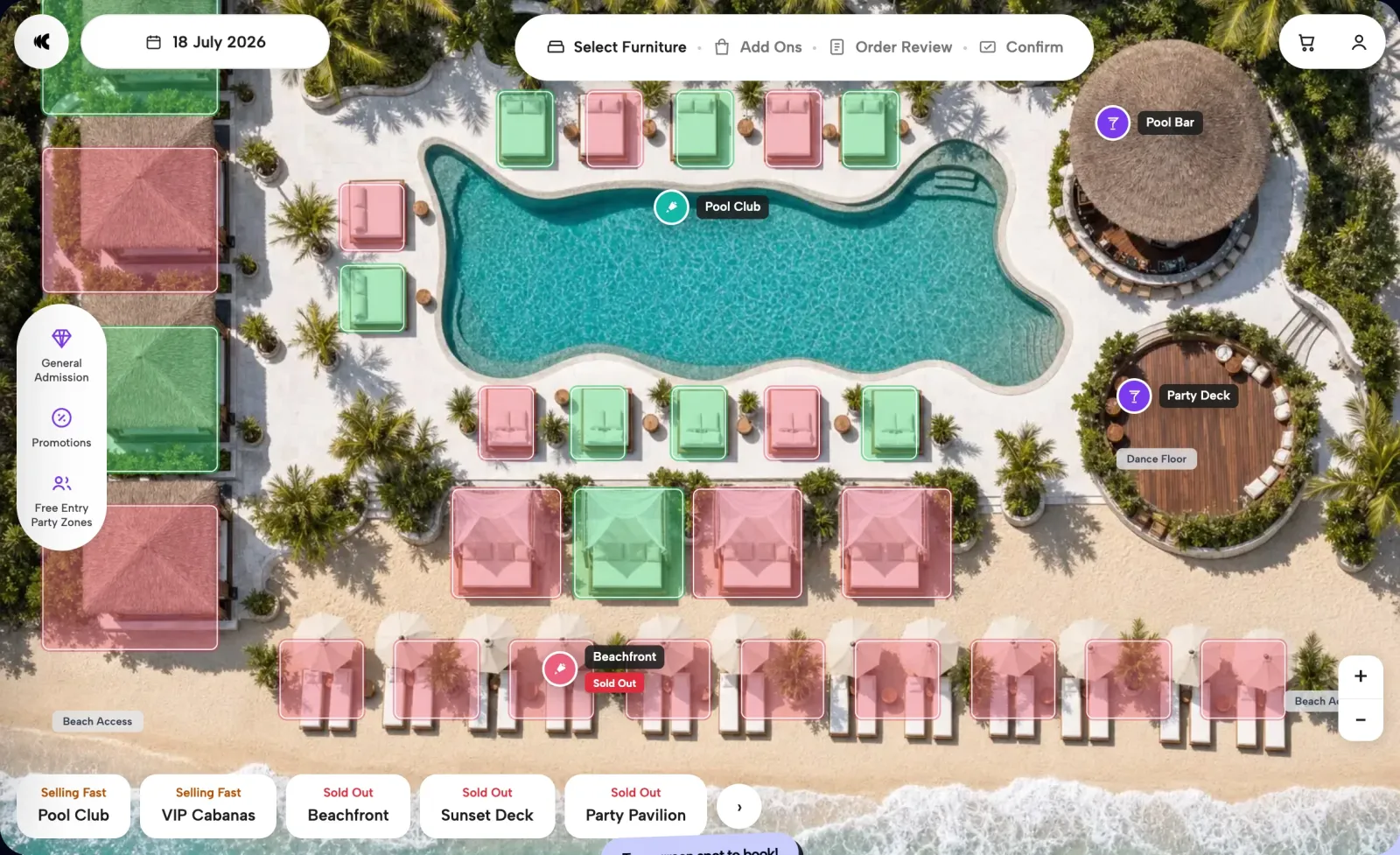
Venue waitlist and walk-in management captures the guests who arrive after you sell out, online and at the door, keeps them on one list the whole team can see, and offers released tables or daybeds to the right party. Clubtech captures sold-out demand through priority-entry registration and runs the door off the same live floor plan.
Selling out is the best problem a venue has, and most venues throw the upside away. Saturday's daybeds go on Wednesday. The booking map turns solid. The phone keeps ringing anyway, and at 1pm a group of six walks up to the host desk to ask what you have. What happens next is nearly always a clipboard, a first name, a phone number if the host thought to ask, and a promise to find them. By close the paper is in the bin, and every guest on it is a stranger again.
That is the real cost of a full house. Not the covers you turned away, which sold in advance at a good price — the contact you did not keep.
What waitlist and walk-in management does
Three jobs, in order. It captures everyone who arrives after the inventory is gone — online and at the door — with real contact details attached, not a name in a host's memory. It holds them on one list the whole team can see, so the front desk, the reservations phone, and the online channel work the same overflow rather than three private versions of it. And it works that list against the floor during service, so when something releases there is a qualified, reachable guest for it.
Clubtech covers the capture and the floor. Priority and free-entry data capture when the furniture sells out means a sold-out map still collects the guest. Guest-list and visitor management at the door retires the clipboard. An internal floor plan with automatic seating allocation — online inventory syncing to it in real time, the operator console showing the service day before it starts — means the overflow is worked against what the floor actually holds, not a guess. The list itself stays the venue's own process; the platform keeps it accurate, and the guest data it produces belongs to the venue.
Two overflow populations, and they do not behave alike
The first is the online guest. She opened the booking map on a phone — 82% of bookings happen on a phone after 10pm — picked her zone, and found nothing left in it. She had already chosen your venue and reached for a card. That sale failed on inventory, not price, and inventory is the one objection you can beat next week.
The second is the walk-up, in front of a host at the busiest hour with four friends and no reservation. He wants tonight, or he wants to know when tonight becomes possible. He is also the guest most likely to leave with nothing recorded, because nobody has time to type.
Both belong on the same list, and it only earns its keep if it holds the same fields for each: a name, a contact, and what they wanted — zone, party size, date. Less than that is a tally.
What the list should do when something releases
Treat it as inventory routing, not courtesy.
Rank it when you take it, not when a table frees up. Party size, zone, and spend intent decide who fits a released booth versus a released cabana. Sorting that out at 9pm with furniture sitting empty is how it stays empty.
Give every offer an expiry. A hold with no clock quietly blocks the next guest. Whatever window you pick, the host needs to know when it lapses and the list moves on.
Keep the offer specific. "Something opened up" hands the guest the work. The exact zone, the exact time, the exact price does not — it is the principle the booking map runs on. Guests commit to a spot, not a category. Better still, hand the released unit back to the booking flow so the guest pays for it in four taps.
Walk-ins against a floor plan that is already allocated
A pre-sold venue is not a venue with spare room. By the time doors open the map is allocated: prepaid parties sit on real furniture, placed by automatic seating allocation. A walk-in is therefore not a question of whether there is space, but of what is genuinely unsold, what is held, and what is about to release.
That is the argument for running the door and the online channel off the same floor plan. When online inventory syncs to the internal venue map in real time, the host sees the truth: this booth is prepaid, this zone is open, this table is blocked. Without it you get the failure every operator knows — a walk-in seated on furniture paid for since Tuesday.
Priority and free-entry capture earns its place here: the six who cannot be seated tonight are still registered, details taken. Sold out is not a lost guest.
The nightclub door on a sold-out night
A nightclub's overflow arrives differently. It comes late, in a queue rather than at a host desk, and most of it wants to get in rather than to sit at a particular table. The three jobs stay the same; the rhythm changes.
- Before doors. Know what is already sold: the prepaid tables on the floor plan, the names on tonight's guest list, and how many walk-in places the room still holds once both are counted.
- At the rope. Keep table bookings and list names in their own lane, so walk-ups never hold up guests who booked. A group you cannot admit tonight is still worth registering for the next night.
- When a table releases. Offer it to a waiting group of the right size, at the price on the map, rather than to whoever asks loudest.
- After close. Note when the night sold out and how many groups you turned away. That is next week's pricing signal for tables and entry.
Clubtech is nightclub management software built for that routine: tables sold on a map of your floor, the guest list and visitor management at the door, and priority-entry registration that keeps capturing guests once the night is full.
The gap that opens during service
Inventory comes back during the night. Bookings release, plans change, parties shrink. What a guest is owed when that happens is governed by the venue's own booking terms, which are the venue's to write and to state. Operationally, a release is a release, and it lands on the floor plan the moment it happens.
The size of that gap is set before service, not during it. Prepayments, deposits, and minimum spends reduce no-shows, so a pre-sold venue has a smaller and steadier release window than one holding tables on a promise. What is left is real, and it is resellable only if there is a list to resell it to.
The return is the database, not the recovered booth
Reselling released furniture is the visible win. It is not the big one.
A season's overflow is the highest-intent audience a venue will ever assemble — people who wanted a specific date, a specific zone, at your prices, and were stopped by nothing but capacity. Captured properly they are next month's soft-open list, the audience you open a new zone to, and the seed for paid campaigns: Clubtech builds lookalikes from your highest-value bookers rather than your follower count. FINNS Beach Club in Bali captured 240,251 guest profiles on the platform between 7 July 2025 and 1 June 2026.
Recorded overflow is also readable. A list you actually keep tells you which zones sell out, how far ahead, and how much demand was still standing behind them — a pricing signal the bookings you took cannot give you. It sits alongside what the platform reports: 20+ reports, lead time among them.
Where this sits in the wider operation
Waitlist and walk-in handling is one shift inside a larger operating loop. The full picture is in our guide to beach club operations for a pre-sold venue, and the operator-side tooling is on the beach club management software and nightclub management software pages. Clubtech runs reservations, front-of-house operations, and marketing on one platform, white-label on the venue's own domain, processing $1M USD in weekly GMV, with venue partners in over 7 countries.
Questions operators ask
What is venue waitlist software?
Software that records guests who want inventory you no longer have — their contact details and what they asked for — then puts them in front of the team when something frees up. It covers two entry points: the guest who hits a sold-out booking page, and the walk-up at the host desk.
How do you capture a guest who lands on a sold-out booking page?
By not ending the page at sold out. Priority and free-entry registration keeps the guest inside a flow that takes their contact details, so a full map produces a lead rather than an exit. That guest already chose the venue, which makes them next week's strongest audience.
How should walk-ins be handled when the floor plan is already allocated?
Off the same floor plan the online channel sells from. When online inventory syncs to the internal venue map in real time, the host sees what is genuinely unsold, what is prepaid, and what is blocked, instead of guessing. Automatic seating allocation has already placed the booked parties, so a walk-in is fitted around them.
How should a nightclub handle walk-ins when it is sold out?
Run the door from the same floor plan and guest list as your table bookings, so the host knows how many walk-in places remain once tables and list names are counted. Keep booked guests in their own lane, register the groups you cannot admit for a future night, and offer any released table to a waiting group of the right size.
What happens to the list when a booking releases mid-service?
The furniture returns to the floor plan and shows in the operator console, and the list is where its replacement comes from. Rank guests when you take their details, not when the gap appears, so the right party size and zone can be offered straight away. What a releasing guest is owed is set by the venue's own terms.
How much does venue waitlist software cost?
Commercials follow discovery. We map the venue, inventory, payments, integrations, teams, and rollout, then return with a proposal built around the confirmed operation. Overflow capture and the door run on the same platform as your reservations, so they are scoped together.
Bring one sold-out Saturday to the call. We will show your floor as a booking map, the door running off that same floor plan, and what your overflow looks like once it is captured. Book a 30-minute demo