Clubtech in Ibiza
Configure the booking system before opening week.
Build the map, package ladder, minimum spends, and day-specific pricing before the first booking window opens.
See the complete solution- Pre-seasonConfigured before opening
- VIP bedsMinimum spend attached
- PrepaidDemand commits early

Trusted by leading venues








The operating case
The useful time to decide how a beach club sells its premium inventory is before the first high-demand date reaches the door.
For Ibiza operators, this page focuses on the pre-opening configuration job: map the venue, define packages and minimum spends, set pricing rules, connect the required systems, and train the team.
The commercial case, in numbers
- 01Onboarding
confirm venue details, sellable zones, imagery, packages, payments, and access.
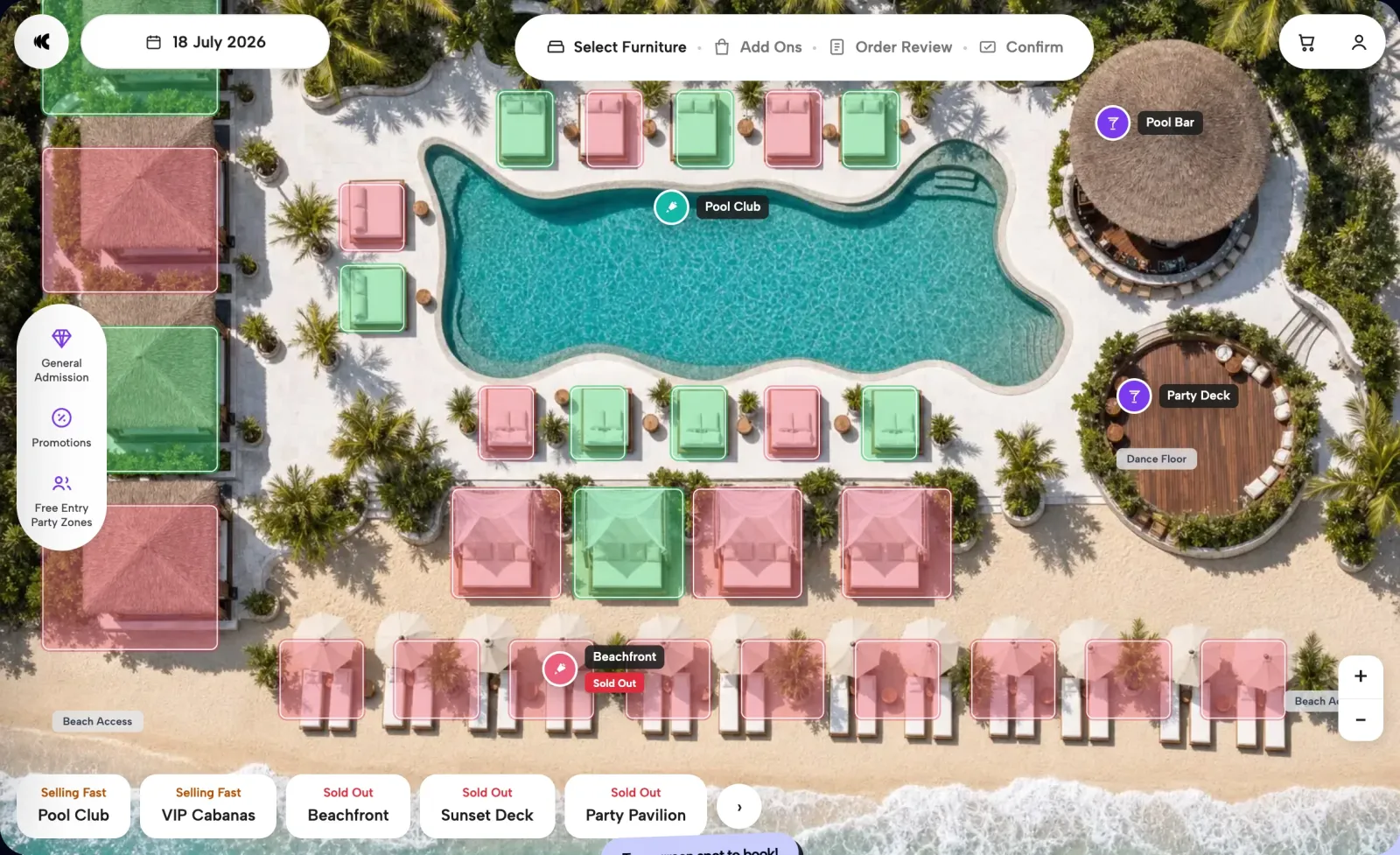
01Choose the spot - 02Build
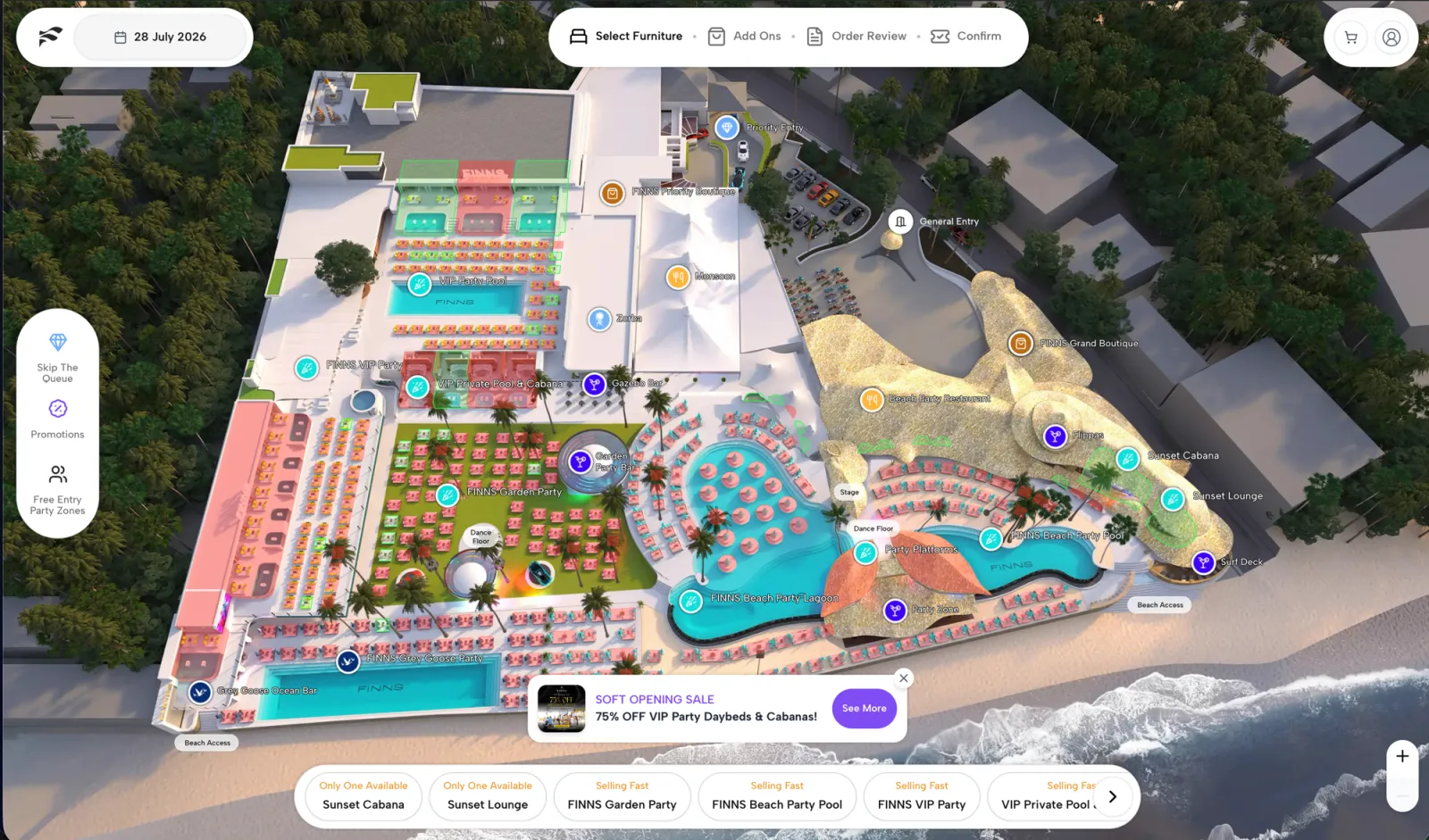
turn the floor into the 3D booking map and configure inventory, package, and pricing rules.
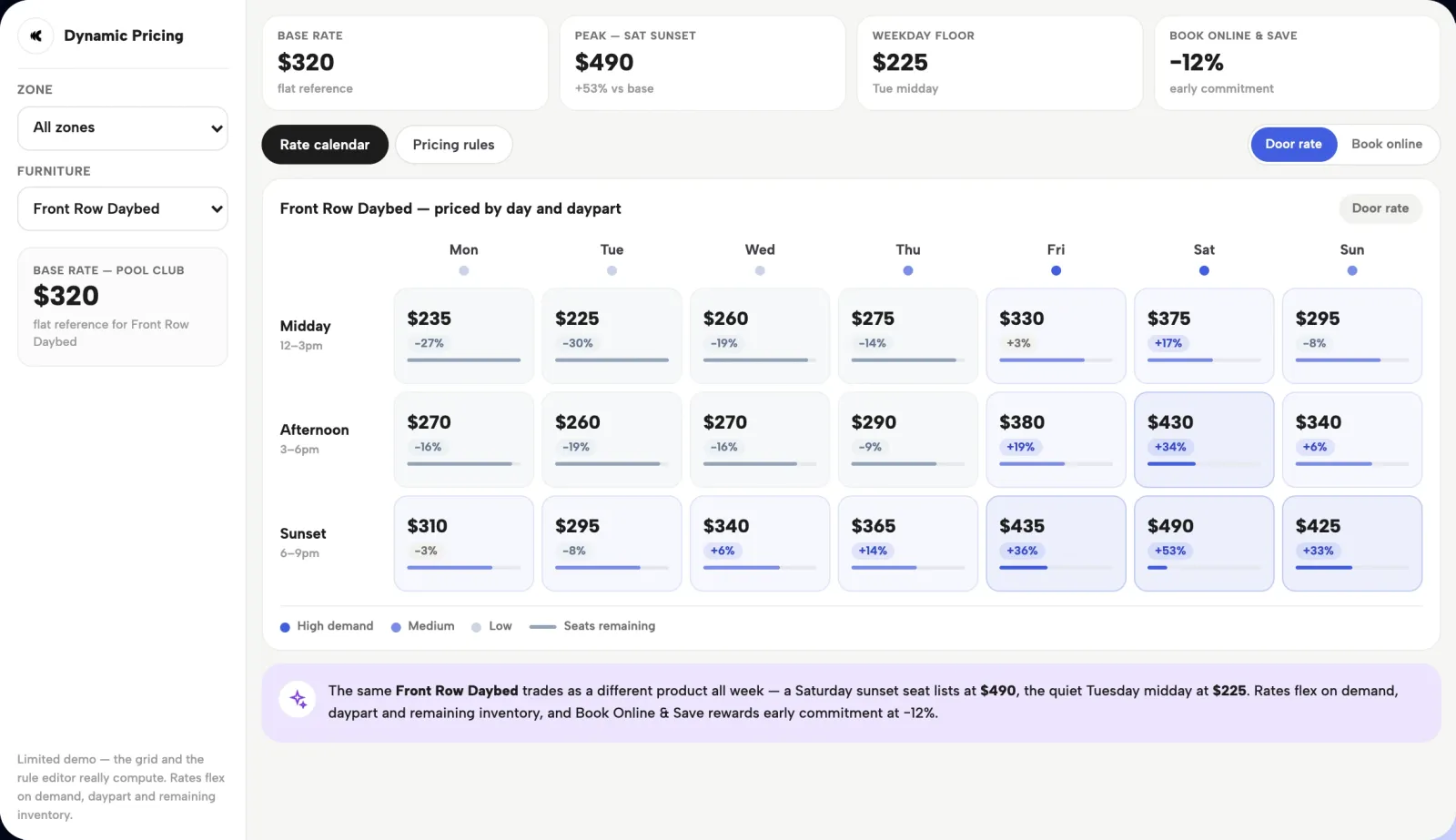
02Price & package - 03Training
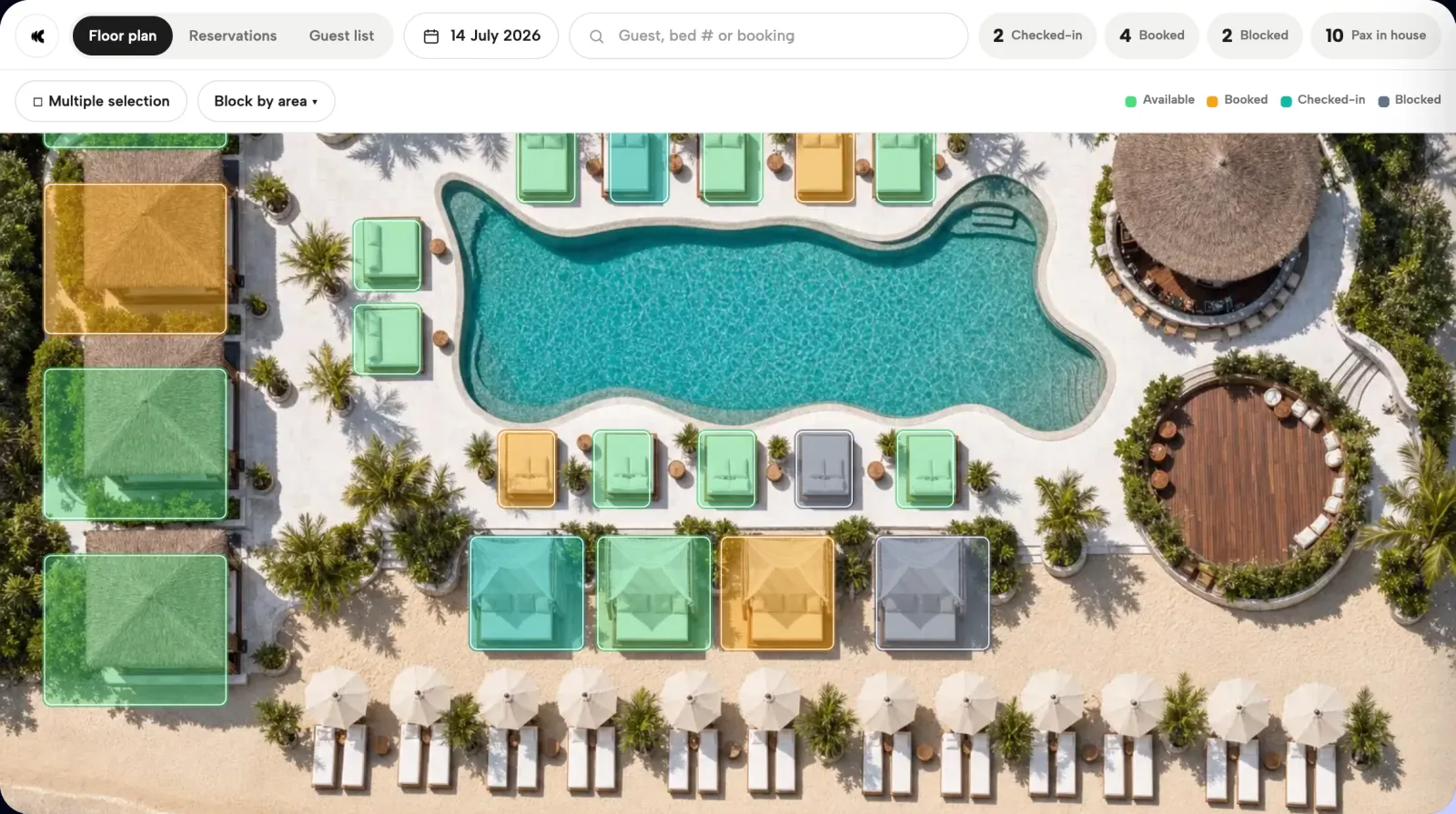
prepare the operator team to manage bookings, allocation, guest lists, and the service-day console.
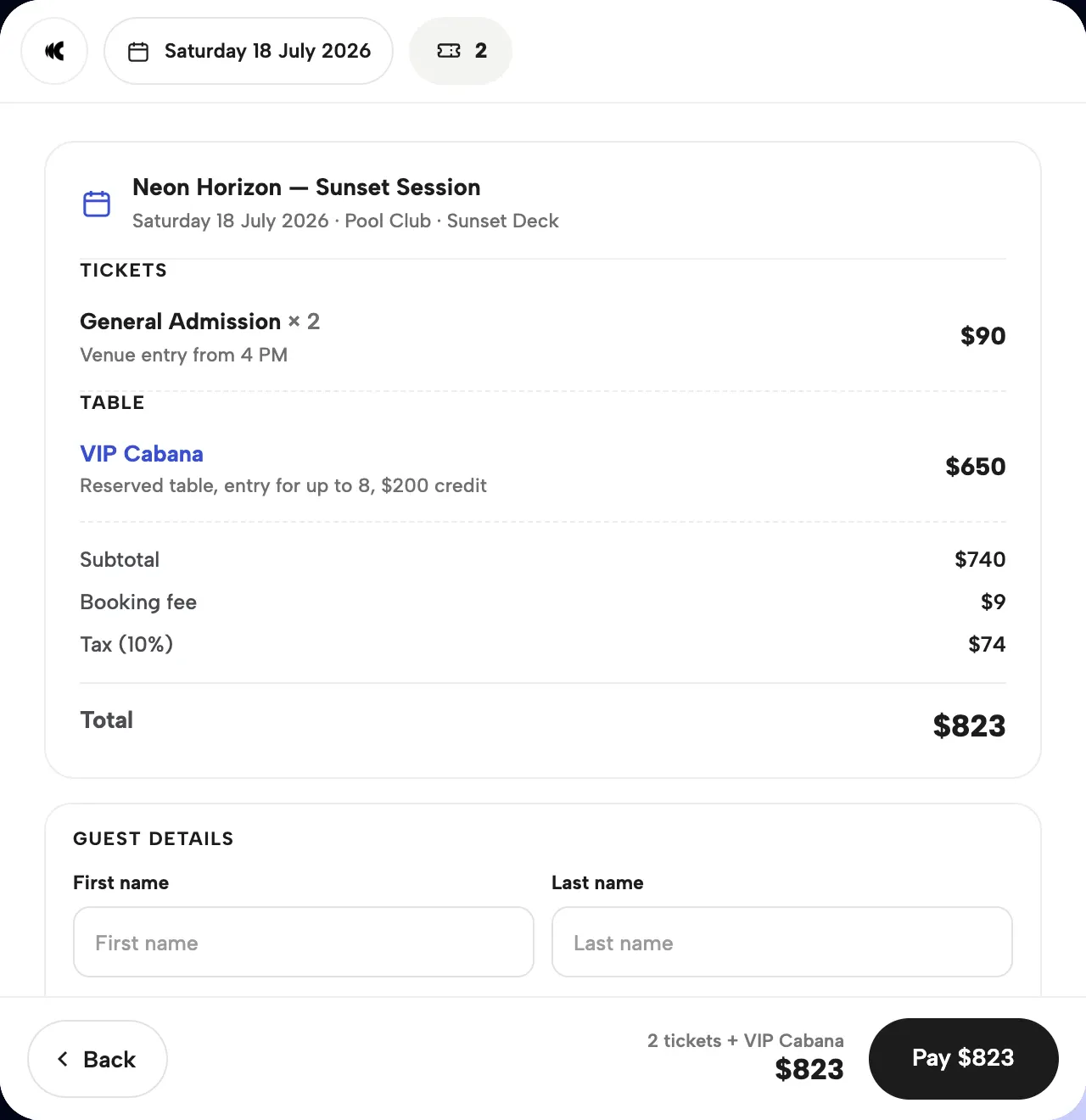
03Prepay in four taps - 04Go-live
launch the white-label booking journey on the venue's domain.
04Run the floor - 05Optimize
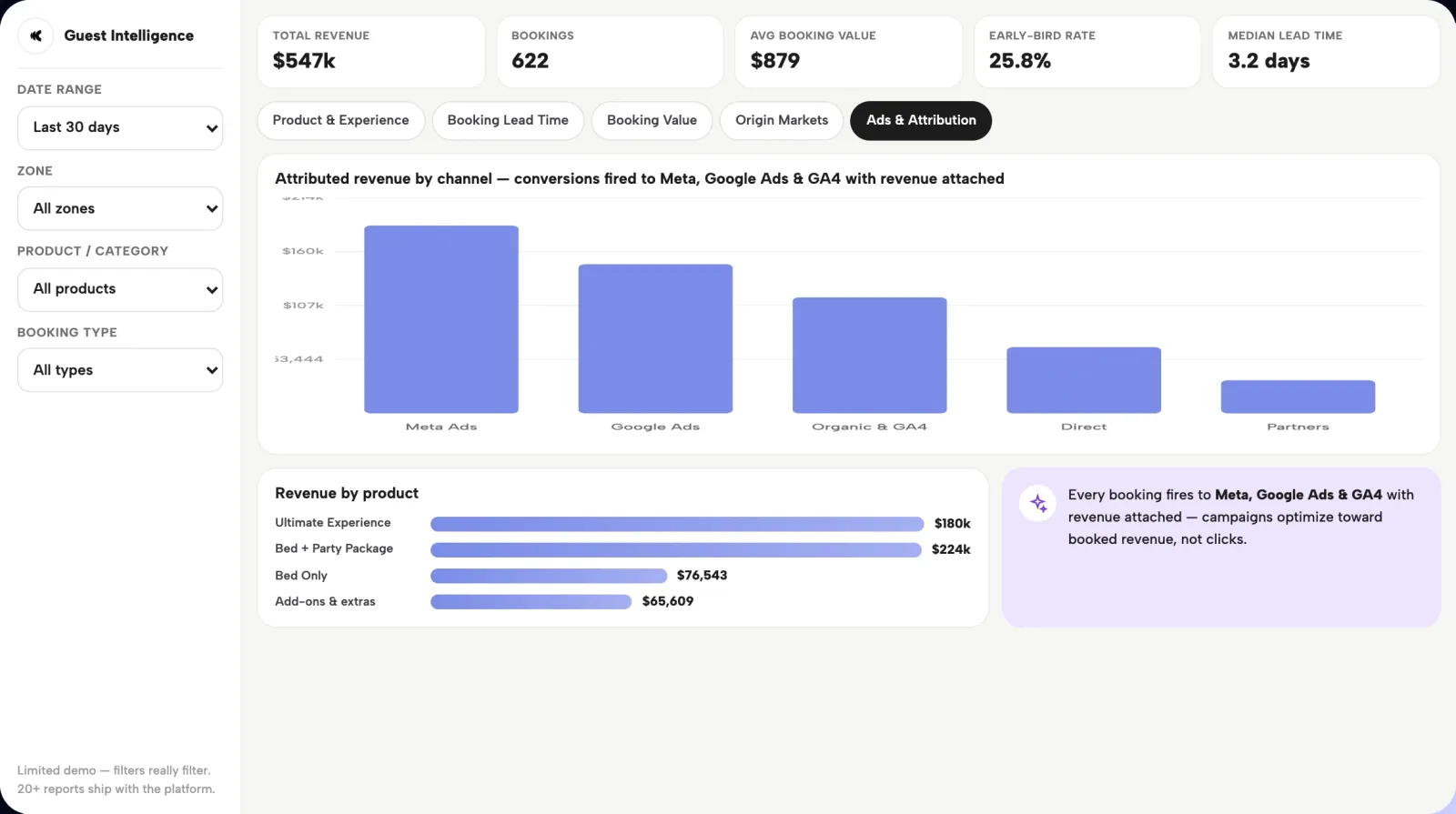
use the 90-day optimize phase to read lead time, product mix, and booking value.
05Feed the ads
Revenue levers
Package and price the exact position
- 01Sell the exact position
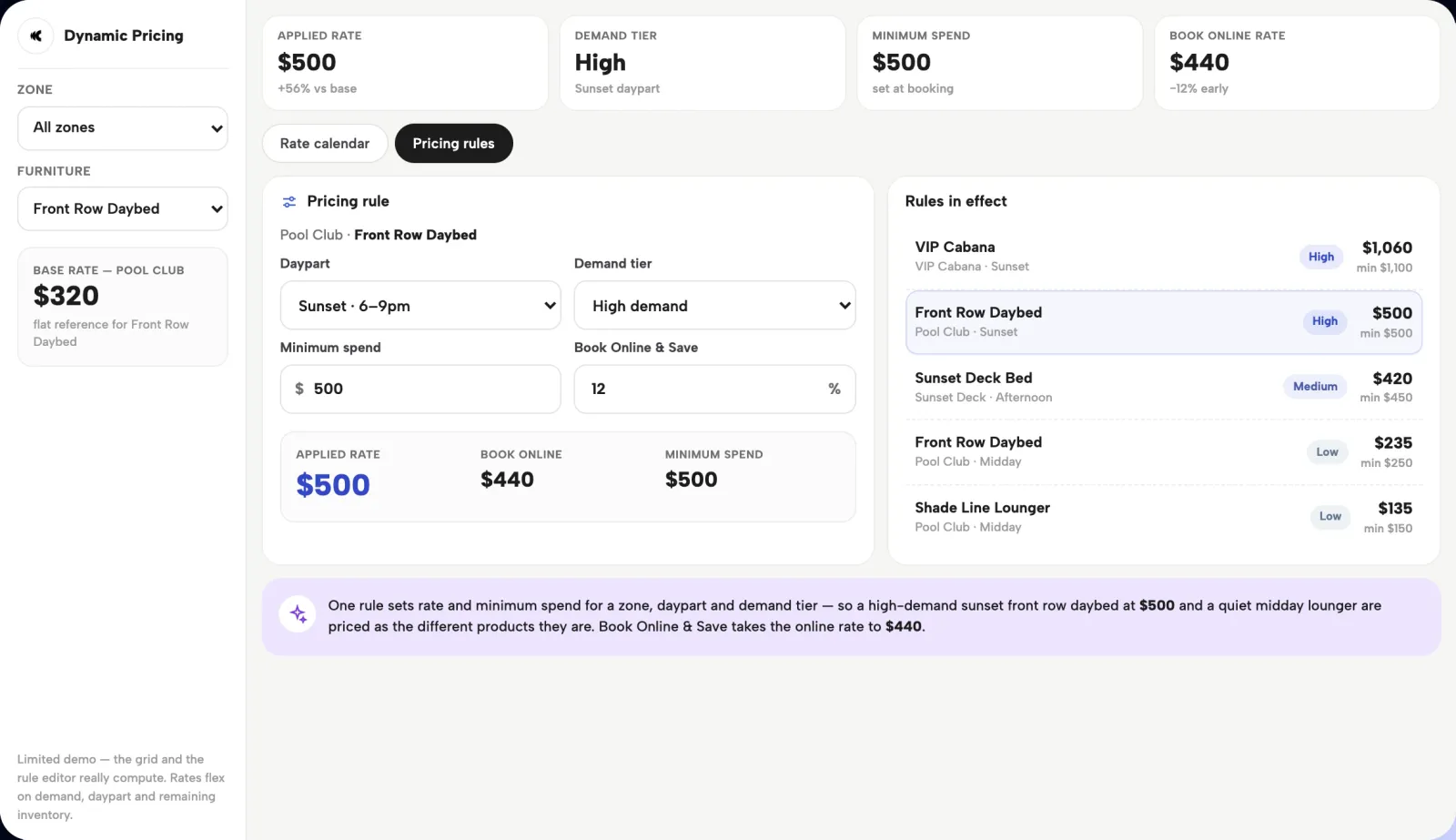
The booking map sells a specific bed, cabana, table, or zone rather than a generic reservation.
- 02Move spend into checkout
Tiered packages and approved add-ons pull pre-arrival spend into the booking flow.
- 03Commit the booking
Deposits, prepayments, and minimum spends secure it before arrival.
- 04Price to demand
Dynamic pricing distinguishes dates, times of day, and remaining inventory rather than holding one flat rate.
- 01A readable book, not a blank floor
Before doors open, the operator can see what inventory is sold and which packages were chosen.
- 02Demand located
The same view shows where the remaining demand sits across the calendar.
- 03Numbers while it still matters
Booking volume, lead time, and product mix reach the revenue team while the selling calendar is still active.
Where it fits
A planned rollout, not a last-minute widget
- Existing POS
- Existing PMS
- Meta
- Google Ads
- GA4
- Configured with the venue
Onboarding, build, training, go-live, and optimization bring the platform up around the operation rather than dropping in a widget.
- Sits on the existing stack
Zero major IT changes, with exact connector behavior confirmed during implementation.
- Ready before opening week
The build finishes before the first booking window, so the season opens on a fully configured system.
Operator questions
Questions operators ask
When should an Ibiza venue configure Clubtech?
Before the opening booking window. The team needs time to map inventory, define packages and pricing, complete technical review, and train operators.
Can VIP beds and minimum spends be sold online?
Yes. Exact furniture can carry tiered packages, deposits, prepayment, and minimum spends inside the booking journey.
Does Clubtech replace the existing POS or PMS?
No. It sits on top of the existing stack rather than requiring a replacement project.
How are Clubtech commercials scoped?
Commercials follow discovery. We map the seasonal inventory, payments, integrations, teams, and rollout, then return with a proposal built around the confirmed operation. See how commercial scoping works.
Connected product path
See the capability, the operating fit, and the proof.

Your venue, pre-sold.
Put your venue
inside the demo.
Book a focused walkthrough, configured around a premium venue like yours.
Book a Demo