Plenty of good venues run on a DM inbox and a shared sheet, and it works right up to the point where it costs real money. Two staff answer the same enquiry and the front-row cabana is promised twice. A group holds four daybeds for Saturday with nothing down, then goes quiet. The sheet is accurate until someone else opens it. None of that shows up as a line item, which is exactly why it runs for years.
The move off it is smaller than most operators expect, because the thing being replaced is the transaction workflow, not the whole stack.
The direct answer: how to make the switch
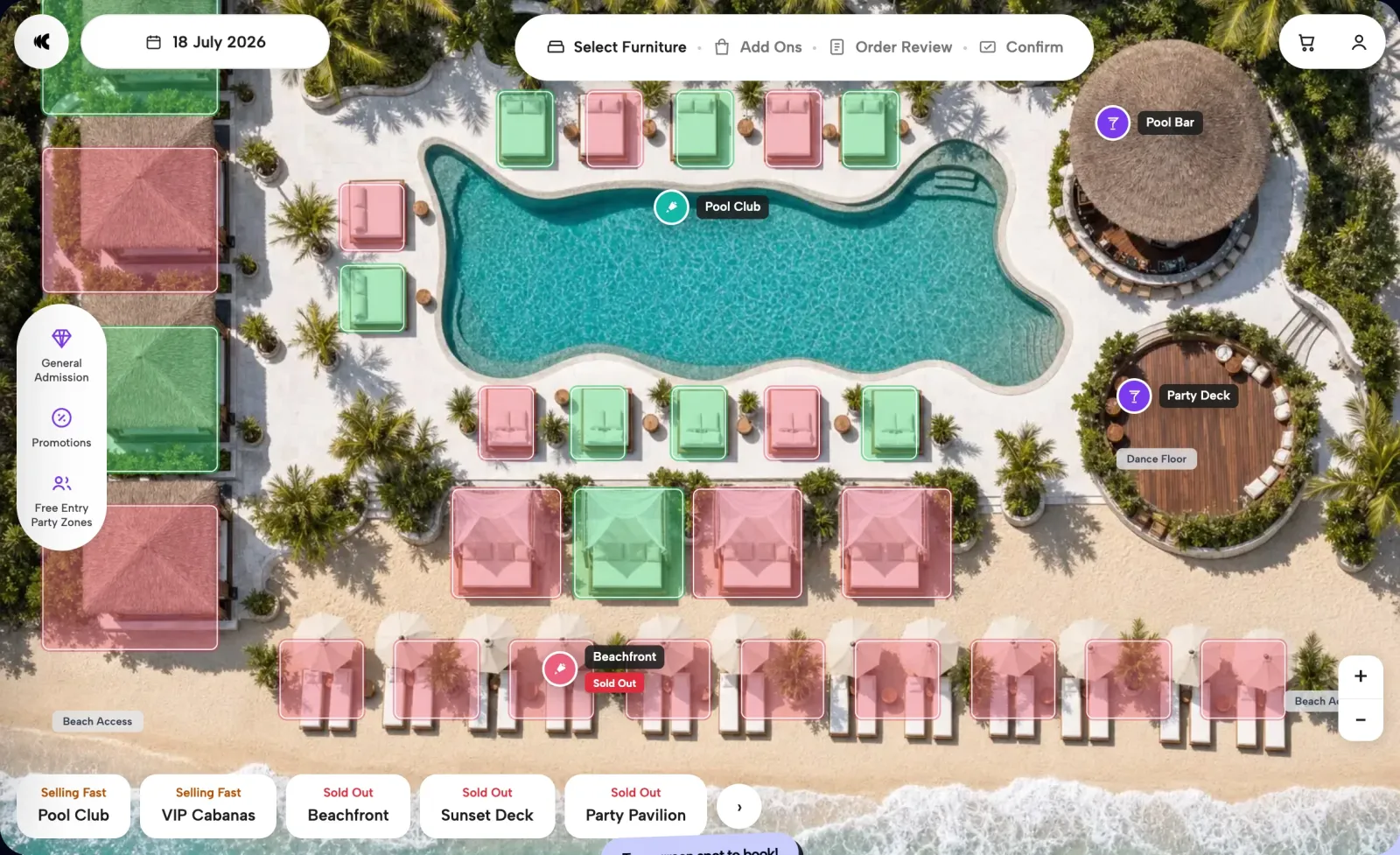
Do it in this order: write down what you actually sell as bookable units, set the rate architecture, put your inventory online on a venue map under your own brand, turn payment on so bookings arrive prepaid, then demote WhatsApp from taking bookings to recovering them. Your POS and PMS stay where they are. The spreadsheet stops being the source of truth the day the floor plan reads live inventory.
What WhatsApp and spreadsheets actually cost
- Nothing holds the unit. Without a deposit, a promise is a hope. A $450 daybed that walks at 2pm is $450 you never see again, and on a shared sheet it never gets counted.
- There are two versions of the truth. Whoever edited last wins, and the deck finds out at 11am.
- You capture a phone number, not a guest. One booker's contact, for a party of eight.
- Availability moves at human speed. 82% of bookings happen on a phone after 10pm, which is precisely when nobody is watching the inbox.
- The upsell happens on the deck, if at all. Bottles, cakes, and transfers get sold by a busy floor team under time pressure instead of at the moment the guest is planning an occasion.
- You cannot tell which ad worked. A booking that lands as a text message is invisible to Meta, Google, and GA4, so your spend optimizes on clicks rather than revenue.
Step 1 — write down what you actually sell
Not "40 sunbeds". Front-row cabanas, swim-up daybeds, shade-line beds, lawn loungers; daytime and sunset; single units and the group bookings that take a whole row for a birthday. This list is the spine of everything that follows, and most venues have never written it down in one place.
Step 2 — set the rate architecture before you set up software
Anchor by zone, ladder within each zone (bed only, party package, ultimate), and put a spread between the online price and the walk-up price so early commitment is rewarded. Peak-date pricing comes later, once you have lead-time data to price against — the method is in dynamic pricing for beach clubs. Getting this right on paper first is what stops the migration turning into a six-week debate inside a settings screen.
Step 3 — put the map online, under your own brand
Guests should buy the spot, not a slot. On a 3D birds-eye map they explore zones from above, tap specific furniture, watch 360° walkthroughs, and commit emotionally before the price appears. Tiered packages with stackable add-ons — bottles, cakes, transfers — move the upsell into the flow, and an order review step lets the guest confirm the full order before paying. It runs white-label: your domain, your design, your guest data. The complete booking is a four-tap journey, with no app to install.
Step 4 — turn payment on
A payment gateway is mandatory; online transactions cannot run without one. Stripe and Airwallex cover cards and settlement across currencies, Apple Pay and Google Pay keep wallet checkout to one tap, and in Indonesia Midtrans adds QRIS, GoPay, and OVO so domestic guests pay the way they actually pay. Once payment sits inside the flow you can take prepayments, deposits, and minimum spends, and Saturday's revenue turns into working float you can see on Tuesday.
Step 5 — demote WhatsApp from intake to recovery
WhatsApp is a bad booking system and an excellent recovery channel. When a guest abandons a booking, the event fires within seconds, and WhatsApp and email bring them back to the exact zone, date, and price they left. That is the job it should have had all along: not fielding availability questions at midnight, but closing the ones that nearly closed themselves.
Step 6 — retire the spreadsheet on the floor, not just online
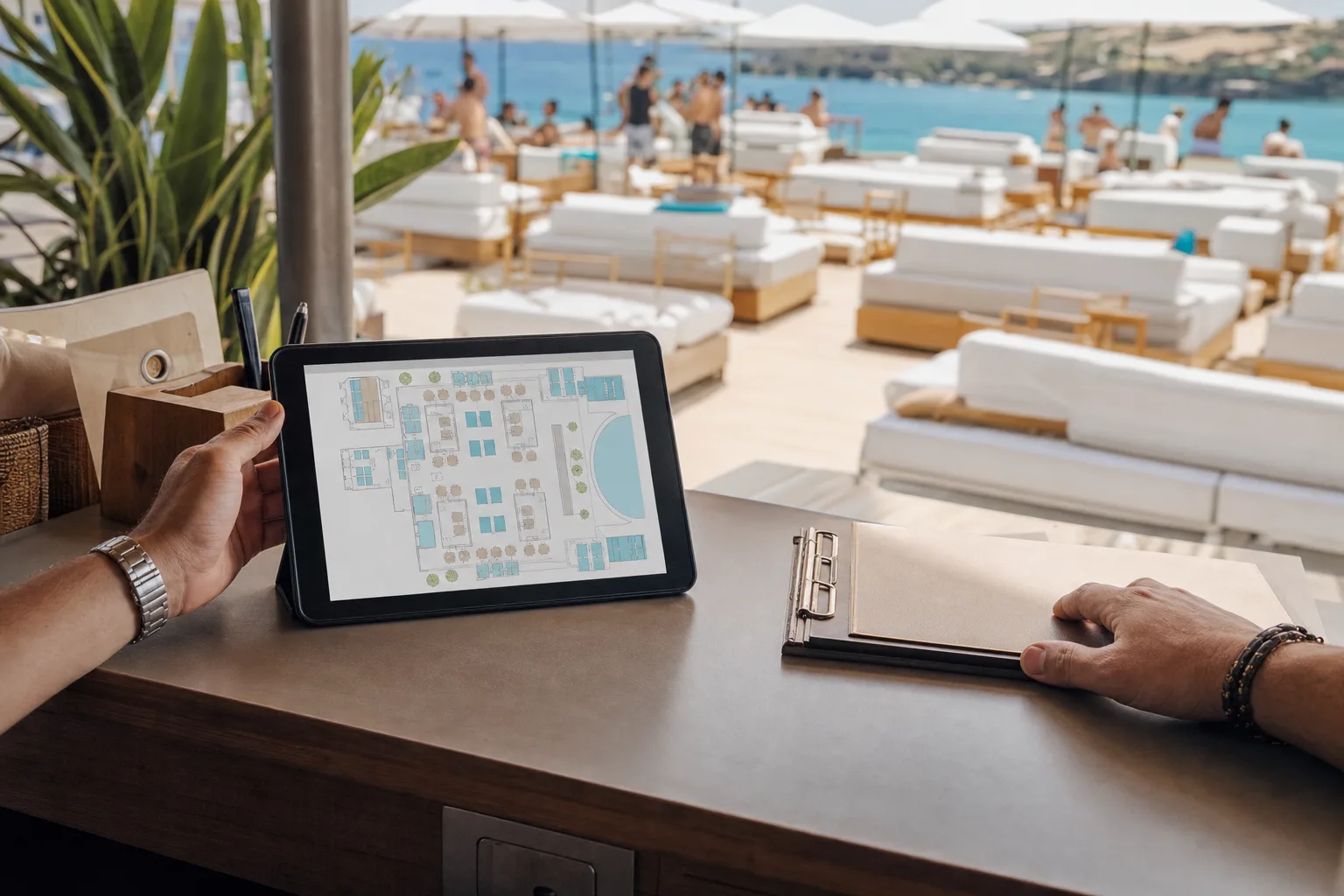
This is the step venues skip, and it is why some migrations leave the team running two systems. Online inventory syncs to an interactive internal floor plan in real time, with automatic seating allocation and a day-of operator console: set the inventory the team sells, run allocation from the venue map, and know what is booked before doors open. Manual booking and override stay available, so a phone call or a returning regular still lands in the same system rather than back in a sheet. Check-in and check-out workflow, area and all-day blocking, and role-based permissions cover the rest of what the sheet was doing badly. The wider operational picture is on the operations side of the platform.
Step 7 — read the week instead of guessing it
Prepaid bookings produce data days ahead of service. Twenty-plus reports turn that into daily booking volume, lead time by zone, average value by variant, product mix, repeat-customer share, and origin markets — segmented and trending, without CSV exports. Rotas, stock, and promotion get decided against real numbers rather than a weather app.
What you keep
Your POS stays. The platform sits on top of the existing stack with zero major IT changes rather than replacing it, and online orders push to the POS before the guest arrives, so in-venue and online spend build one guest purchase profile. Hotel properties keep their front office, with Opera PMS as an integration row confirmed property by property. One expectation worth setting early: integration work depends on your vendor relationships, because you introduce the platform to your POS, gateway, or PMS provider, and their pace sits inside your timeline. Setup itself is guided.
What changes on day one
Two things, immediately. Every guest in the party supplies their own details rather than just the booker, so the marketable audience grows with every reservation instead of staying flat. And when furniture sells out, the guest is offered priority or free-entry data capture instead of a dead end — sold out stops meaning lost. If you are still choosing between vendors rather than planning a migration, the complete guide to beach club booking systems covers the evaluation first.
Questions operators ask
Can we move off WhatsApp bookings without replacing our POS?
Yes. The platform sits on top of the existing stack with zero major IT changes rather than replacing it, and online orders push to the POS before the guest arrives so online and in-venue spend build one guest profile. Your POS, and for hotels your PMS, stay where they are. Integration scope and sequencing get confirmed in discovery, since they depend on your vendor.
Do we lose the WhatsApp relationship with guests?
No, it changes job. WhatsApp stops being where availability is negotiated and becomes where abandoned bookings are recovered: the event fires within seconds and the guest returns to the exact zone, date, and price they left. Email runs the parallel recovery path. Guests who prefer to message still can, and the team logs those bookings into the same system.
How do we stop double-booking the same daybed?
Sell every unit from one live inventory. Online availability and the internal floor plan read the same source in real time, so a booking taken online, by phone, or manually by a manager reduces the same unit count. Automatic seating allocation and the day-of operator console mean the floor team works from the booked manifest rather than a sheet that was accurate an hour ago.
What happens to our existing spreadsheet data?
Treat the spreadsheet as a record, not as something to migrate wholesale. What matters going forward is your inventory definition — units, zones, rates, packages — which gets configured in the platform during guided setup. Historical bookings in a sheet rarely map cleanly to structured inventory, and the reporting you need starts accumulating from go-live.
Will guests actually pay in advance?
They already do at venues that ask. A spread between the online and walk-up price gives a reason to commit early, deposits and minimum spends protect premium furniture, and the booking completes in four taps on a phone. 82% of bookings happen on mobile after 10pm, so the flow has to work for a guest planning on a sofa, not at a desk.
See your deck online before you commit to moving it. We configure the platform for a venue like yours and walk the whole flow — map, packages, payment, floor plan. Book a 30-minute demo — no contracts, no credit card.