Every sellable daybed, cabana and table should be available in your venue's online booking flow. Guests should be able to see the complete floor, choose the spot they want and commit while the venue is still closed.
Listing the whole floor creates the opportunity to sell it. Pricing, packages and accurate availability determine how that opportunity turns into bookings. A unit can be offered online at a full price, booked weeks ahead or purchased later in the selling period. The venue manages those decisions with its own demand data.
The short answer
Make all sellable venue inventory available online. Give each unit a clear position, price, package and current availability. Let guests choose across the full furniture mix, and keep the booking map aligned with what the team can actually sell.
Online availability and a completed advance booking are different states. Putting a daybed on sale gives the guest a choice; payment commits it to a reservation. The recommendation is full online availability, with the aim of selling the whole floor at prices that make sense for the venue. Neither a discount nor a guaranteed sell-out is implied.
What the complete floor gives the guest
A group looking at one generic furniture category has little to compare. A complete map lets them weigh the front-row cabana against the poolside daybed and the shaded lounger. Each position can carry its own package and relevant add-ons.
That is the job of the online offer: make the actual choices legible. Clubtech presents exact furniture on an interactive venue map, with tiered packages and stackable add-ons, on the venue's own domain. Guests can understand the spot and what comes with it before they commit.
The operator gets bookings attached to specific furniture, dates and packages. Prepayments and deposits provide cash ahead of service, and confirmed bookings help the team plan staffing, stock and allocation.
Availability and pricing do different jobs
Availability answers whether a unit can be booked. Pricing answers what that booking is worth.
A venue can offer every sellable unit online while setting different rates for a busy Saturday, a quiet Tuesday, a front-row cabana and a back-section lounger. It can offer packages at different values without hiding parts of the floor from guests.
An early-booking incentive is a pricing choice. It should earn its place in the venue's numbers. Full online availability can also operate at the venue's normal rate; putting inventory online does not require a cheap opening tier.
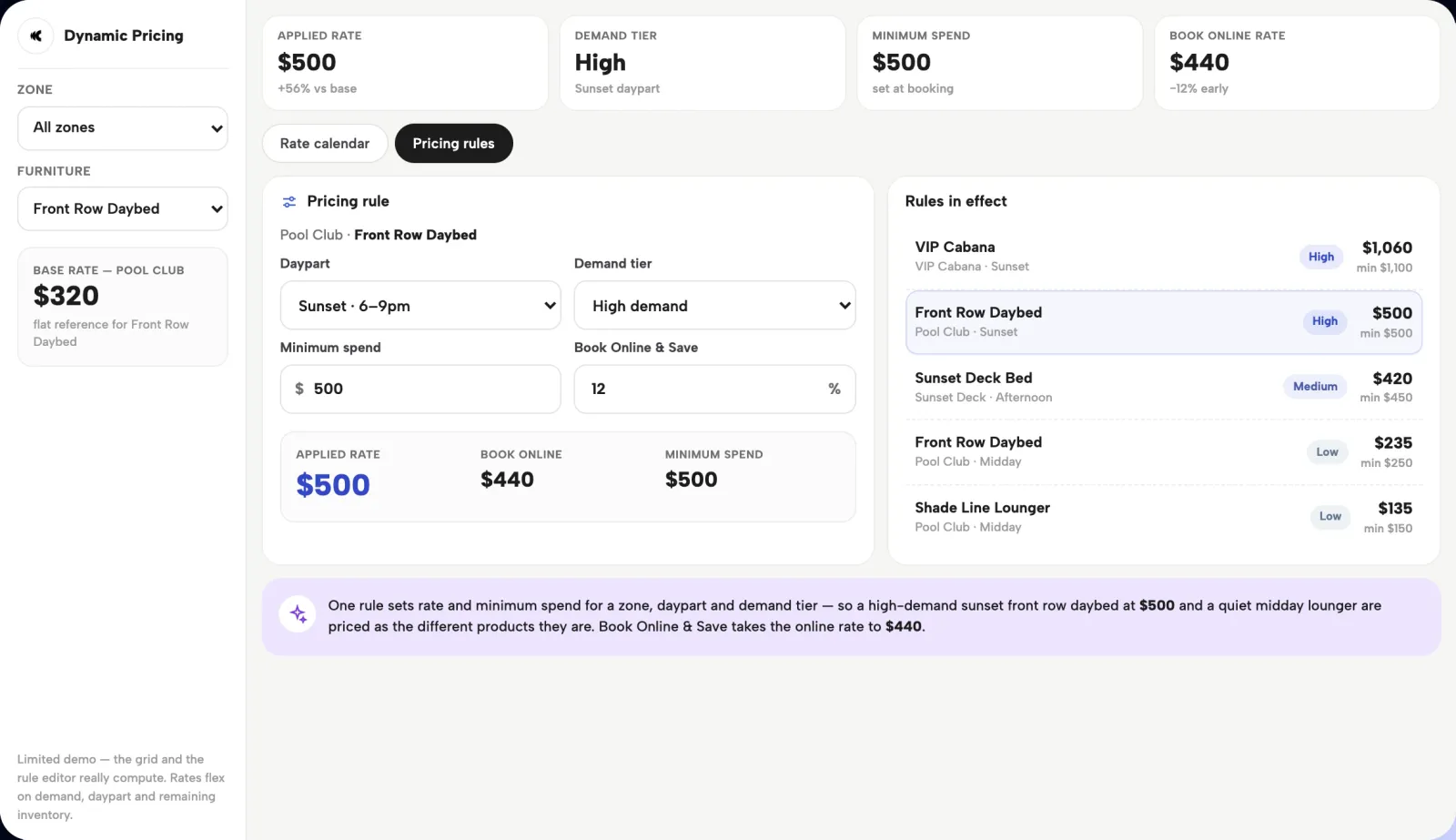
Use pricing and packages to manage demand while the complete sellable inventory remains available. Dynamic pricing can flex rates with demand and remaining inventory. The operating choices behind that approach are covered in our dynamic pricing guide for beach clubs.
Price by day, zone and season
Read each zone's booking pattern before treating the venue-wide average as the answer. Front-row cabanas and back-section loungers may attract different guests, book at different lead times and carry different package values.
The same applies across the calendar. A weekend, a midweek service and a peak-season event can have different demand. Use those differences to inform the rate and package offered for each date.
Keep the whole sellable floor online through those changes. The booking data helps you improve the offer and the price; it does not require a separate pool of furniture reserved for offline sale.
Keep the online map aligned with the floor
Full online availability depends on an accurate inventory record. Confirmed bookings, maintenance and actual closures must be reflected in what guests can buy. A table already sold to one party cannot remain available to another.
The door team needs that same view. When a walk-in asks what is available, the answer should come from the floor plan that reflects online reservations. Clubtech's online inventory syncs with the internal floor plan in real time, and the operator console gives the team the service-day view.
This lets the venue sell remaining availability coherently across its online and on-site operation. Any unit returned to sale needs to follow the venue's own booking terms and the actual state of the floor.
Read your own booking data
Clubtech ships 20+ reports. Use the booking data to ask four practical questions.
- Lead time by zone. When do guests book each part of the floor? Use the pattern to judge when the offer needs to be clear and when a pricing change might affect demand.
- Sell-through by day of week. Which dates fill, which zones remain available, and when do bookings arrive? A venue-wide occupancy figure can hide a strong front row and a weak back section.
- Average booking value by variant. Compare early and late bookings on similar dates and packages. Differences can come from the guest mix or add-ons as well as price, so a higher late average is a reason to investigate.
- Demand after sell-out. Priority and free-entry registration can capture guest details when furniture sells out. Read those enquiries alongside the bookings you accepted to understand what guests still wanted. The venue's own follow-up records provide context.
An early sell-out deserves a closer look at price, package mix and demand. It can reflect a strong offer, unusually high demand or a rate worth reviewing. The date alone does not establish underpricing.
Test one change and keep the floor on sale
Choose one zone, one day of the week and one pricing or package change. Observe it over about four weeks, while keeping the complete sellable inventory available online.
Read booked revenue, units sold, booking value and lead time together. Note changes in programming, weather and guest mix that could affect the comparison. A higher average booking value means little if the total revenue and sell-through move the wrong way.
Repeat the review when the season changes. The goal is to sell the whole floor through an offer guests can understand, at prices supported by the venue's own demand. Our beach club revenue playbook places that decision within the wider booking and revenue operation.
Questions operators ask
How much venue inventory should be available online?
All sellable inventory should be available online, with clear prices, packages and current availability. Give guests the complete choice of furniture and zones. Confirmed reservations, maintenance and actual closures must be represented accurately, so the booking map reflects the inventory the venue can deliver. Manage demand through the offer and pricing while keeping that map complete.
Does putting all inventory online mean selling every unit in advance?
No. Online availability means the guest can book the unit while it remains available. An advance reservation means a guest has already committed to it. The objective is to make the whole floor available to buy and sell as much of it as the venue can. Actual booking timing and sell-through depend on demand, pricing and the offer.
Does full online availability require a discount?
No. Inventory can be available online at the venue's normal rate or at rates adjusted for the date, zone and demand. An early-booking incentive is an optional pricing decision. Evaluate it against the venue's own booking value and sell-through, rather than assuming that moving inventory online requires a lower price.
How should a venue manage late demand?
Keep remaining sellable inventory visible and accurately priced throughout the selling period. Use the same booking and floor-plan information across the online channel and the door team. Review how each zone books and what late guests buy, then adjust rates and packages where the evidence supports it. Released inventory follows the venue's own terms and actual availability.
Does an early sell-out prove the price was too low?
No. It is a signal to investigate alongside booking value, package mix, comparable dates and the demand that continued after sell-out. Strong demand can fill a well-priced zone early. Test a pricing or package change on a comparable part of the calendar, and read revenue and sell-through together before drawing a conclusion.
How much does it cost?
Commercials follow discovery. Every venue has a different mix of inventory, zones, payment methods, integrations, teams and rollout work. We map the operation on a call and return with a proposal built around the real scope. Bring your floor plan and booking data so the discussion starts with the venue you actually run.
Bring your floor plan and one real month of bookings. We will show the complete sellable inventory online and work through the pricing and packages around it. Book a demo