Every GA4 tutorial on the internet assumes you sell t-shirts. You sell Saturday. A daybed for July 19 is not a SKU sitting in a warehouse — it expires at close, it has a zone and a time of day, and the guest who bought it is worth more than the transaction. Set GA4 up like a Shopify store and you'll get a dashboard full of numbers that are technically accurate and operationally useless.
Here is how GA4 booking tracking should work when the product is daybeds, cabanas, and tables sold by date.
GA4 booking tracking: ecommerce events, with a twist
GA4's ecommerce events map onto a booking flow better than most operators expect — you just have to translate the vocabulary:
view_item— a guest opens a zone or a specific bed. The "item" is the furniture variant: front-row daybed, swim-up bed, cabana.add_to_cart— they select the bed and a date. Date matters: pass it as an item parameter, because a cabana for this Saturday and the same cabana for a rainy Tuesday are different products economically.begin_checkout— they hit the payment step. The gap between this and purchase is your abandoned-cart pool, and it's where paid recovery lives — more on that in our guide to the Meta Conversions API for venue bookings.purchase— the booking, with real transaction value, currency, and an ID you can reconcile against your booking system.
Two additions make this venue-grade rather than shop-grade. First, carry custom dimensions on the purchase event: visit date (not just booking date), time of day, zone, and package tier. Second, derive lead time — days between booking and visit — because it drives everything from staffing to pricing, and GA4 will never compute it for you unless you send the raw material.
If you only instrument one thing correctly, make it purchase with accurate revenue. Everything else in GA4 — attribution, audiences, ROAS — inherits from that event.
Audiences: seed from bookers, not browsers
The default temptation is to build audiences from engaged sessions or pageviews. Don't. A guest who read your menu for four minutes and a guest who prepaid a $600 cabana package look identical to a pageview-based audience, and only one of them should be seeding your lookalikes.
Build your GA4 audiences down the funnel instead:
- Purchasers, last 180 days — your core seed for Google Ads lookalike-style expansion and your exclusion list for prospecting (stop paying to reach people who already booked this month).
- High-value purchasers — filter on purchase revenue above your package threshold. Small audience, disproportionate signal.
- Checkout abandoners — reached
begin_checkout, nopurchasein the last 7 days. This is retargeting inventory with intent already proven. - Repeat bookers — two or more purchases. These guests justify their own creative and their own offer.
Link GA4 to Google Ads and these audiences become bid signals, not just reports. This is the same funnel-inversion logic that runs through a modern beach club marketing strategy: the booking is the conversion, so the booking defines the audience.
One honest caveat: GA4 audiences are only as good as consent rates and cookie survival allow. They will always undercount. Use them for direction and campaign fuel, not as your system of record.
The three reports a GM should actually open
GA4 ships with dozens of reports. A venue GM needs three, and two of them you have to build in Explorations:
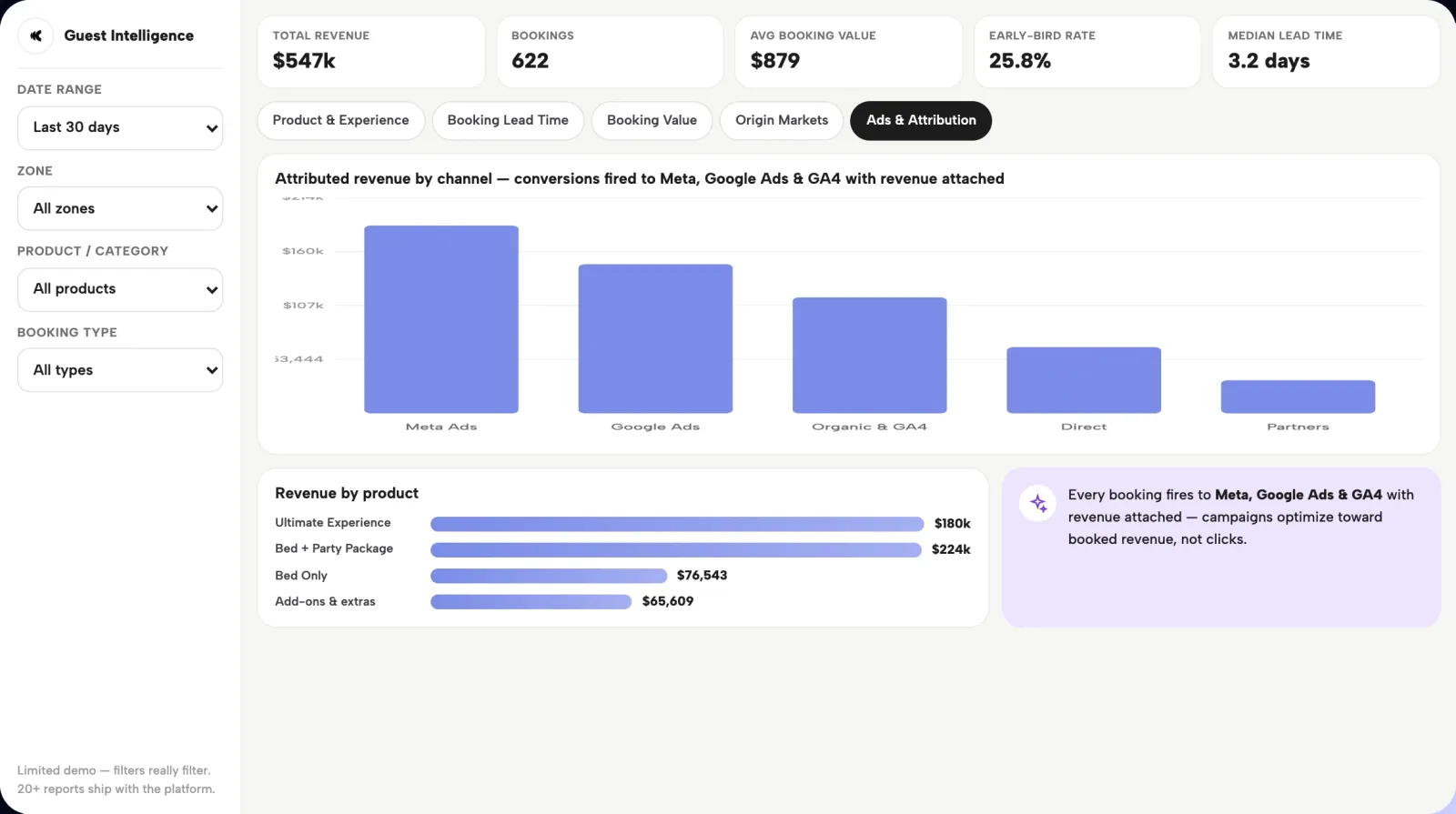
- Source to revenue. Not source to sessions — source to booked dollars. Default channel group against purchase revenue tells you whether Instagram is filling the deck or just filling the feed. Expect direct and unassigned to be inflated; that's measurement decay, not organic brilliance.
- Lead time distribution. If you're passing booking-to-visit lead time as a dimension, you can see how far ahead each channel books — and the differences between channels are usually bigger than operators expect. This shapes when you spend, not just where.
- Zone and furniture performance. Which zones sell out first, which drag, and what average booking value looks like per variant — the demand map your pricing decisions should sit on.
If building these by hand sounds like a second job: this is a place where the platform matters. Clubtech pipes bookings into GA4 as conversion events in real time, alongside Meta and Google Ads, and surfaces the operator view — daily booking volume, lead time by zone, average value by variant, repeat-customer share — natively, without CSV exports. GA4 becomes the cross-channel check, not the only window you have.
Common tracking lies (and how to catch them)
GA4 will confidently show you wrong numbers. The usual suspects:
- Double-counted purchases. A guest refreshes the confirmation page, or the event fires from both the page and a tag manager trigger. Fix: fire
purchaseonce, server-side where possible, always with atransaction_id— GA4 deduplicates on it within session but a stable ID also lets you audit. - Missing refunds and cancellations. GA4 has a
refundevent; almost nobody sends it. Your GA4 revenue will read high forever unless refunds flow in or you accept GA4 as gross-bookings-only and say so on the dashboard. - Payment-redirect attribution loss. If checkout bounces through a payment provider's domain and returns, the booking can attribute to the payment gateway as a referral. Add payment domains to the unwanted-referrals list or your best channel will forever be "paypal.com / referral."
- Consent-mode gaps. Post-consent-banner, a slice of bookings simply never reaches GA4. That's not a bug to fix; it's a floor to acknowledge.
The discipline that makes all of this survivable: reconcile GA4 purchase revenue against your booking system weekly. The delta should be stable. When it moves, something broke.
Questions operators ask
How do I track bookings in GA4?
Send GA4's standard ecommerce events from your booking flow — view_item, add_to_cart, begin_checkout, and purchase — with the furniture variant as the item, real revenue and currency on the purchase, and a unique transaction ID. Add custom dimensions for visit date, zone, and time of day. Mark purchase as a key event so it drives attribution and audiences.
What GA4 events matter for a venue?
purchase matters most: it carries revenue and powers everything downstream. begin_checkout matters second, because the gap between it and purchase defines your abandoned-cart audience. view_item and add_to_cart complete the funnel so you can see where guests drop. A refund event keeps revenue honest — most venues skip it and quietly overstate GA4 revenue.
How do I build GA4 audiences from bookers?
Create audiences conditioned on the purchase event rather than sessions or pageviews: all purchasers in the last 180 days, high-value purchasers above a revenue threshold, repeat bookers with two or more purchases, and checkout abandoners who began checkout without buying. Link GA4 to Google Ads so those audiences feed targeting and exclusions directly.
Why don't my GA4 numbers match my bookings?
They never will exactly — the goal is a stable, explained gap. GA4 misses bookings blocked by consent choices and ad blockers, double-counts when purchase events fire twice, ignores refunds unless you send them, and can misattribute bookings that return through a payment provider's domain. Reconcile against your booking system weekly; investigate when the delta shifts, not when it exists.
What is booking tracking in GA4?
Booking tracking means sending each step of the reservation flow to GA4 as ecommerce events — zone viewed, bed and date selected, checkout started, booking paid — with real revenue on the purchase event. Done properly, it turns GA4 from a pageview counter into a record of which channels, campaigns, and creative produce booked dollars, and it feeds the booker audiences your ad platforms optimize against.
Can GA4 show which channel drives booking revenue?
Yes — and it's the report worth building first. With a revenue-carrying purchase event in place, an Exploration of default channel group against purchase revenue shows booked dollars by source rather than sessions. Expect direct and unassigned to be inflated by consent gaps and cookie loss; treat the report as directional for budget decisions and reconcile totals against your booking system.
See your bookings flow into GA4, Meta, and Google in real time. Review the attribution workflow, then book a demo.